I love Creative Commons!

Have you ever heard of the saying, “sharing is caring”? Without people around the world sharing their ideas, knowledge, and creations we would not be where we are in the world today. On the same side sometimes a creator will want to share their work with the world but keep all the rights to it. Imagine creating a brand like Nike, and putting it out into the world only for it to get stolen or plagiarised. Which brings me to the point of copyright. Copyright is something that gives a creator legal rights over their work. These rights allow the owner to choose how they would like their work to be used. If one does not follow these rules and tries to steal someone’s copyrighted work, it could lead to legal issues.

Easy Peasy

The good news is that this can be solved by acquiring permission in the form of a license. A license is a written agreement between a person and the copyright owner that states they will use their work with respect to the creator’s wishes. There are many different types of copyright licenses. 

Photo by Markus Winkler on Unsplash

Creative Commons

Creative commons is a copyright license, it allows people to use content with the intention that they will credit the owners and follow certain guidelines. Most websites sharing free stock footage will have a CC0 license. This type of license states that there are no rights reserved, it is free for the public to use with or without credit to the original author.

This is great because not everyone can afford to purchase rights when they need to use an image or video for a project. It can be used as many times as one wants with almost no restrictions. After the purchase or download the content it is essentially yours. A couple of websites that you can find free stock footage are:

  • Wave.video
  • Pixabay
  • Pexels Videos
  • Videvo
  • Videezy

These websites have an extensive collection of free stock footage that users have access to. So remember to check what type of work a license has before deciding to use it, because you don’t want to find yourself on the wrong side of the law. But if you don’t want to check, feel free to use these listed websites the next time you need to browse for video content. 

Film Production and More

Film production is by no means a simple process, which is why companies hire a production team. These teams focus on creating the video content needed for a specific project, they also are in charge of hiring directors. Now I would like to talk about two responsibilities of a production team as well as a few job opportunities regarding them. 

There are two main topics we will be focusing on today:

  • Script Writing
  • Planning

Script Writing

A production team will either have their own set of writers or a set of pitch scripts from independent writers on the outside. However, not just anyone can submit a script, the type of writers I am describing are those who have an impressive background. 

These people are likely already well known for their work and have an agent who represents them. That agent then meets with the production team and discusses their terms of service.

Planning

Point and shoot. Recording a video with a camera is easy, however making something more sophisticated, like a movie would require planning. Schedules have to be made and confirmed by the crew as well as with their equipment companies/talent agencies. Talent agencies help production companies find models, extras, and actors which is why everything needs to be organized. 

This will allow editors to have enough time to clean up any small mistakes in post production.A lot of the final developing process is spent in post-production. Post production is where all the random clips and audio are put together in a way that tells a story. 

If you are interested and have a talent for film and multimedia, the rest of this article will be dedicated to job listings for entry level designers. If not, then I suppose this would be the end of the article for you. 

Photo by Kushagra Kevat on Unsplash

Current job listings:

  • Video Production Coordinator: Keiser University (31k year) Requirements: Bachelor’s degree in digital video production , experience operating photo and video capturing equipment (digital cameras, lighting kits, microphones, green screen, etc.) 
  • Producer: King Jesus International Ministry (38k year) Requirements: Bachelor’s Degree (4 Year Degree); or 4 years related experience and/or training; or equivalent combination of education and experience, Spanish/English
  • Video Production Assistant: HireRocket (31k year) Requirements: need to be able to shoot and edit a dslr camera with a fast lens.
  • Freelance Scriptwriter: Filmless(58k year) Requirements: 5+ years of experience in content and script writing, mac or windows computer


If you meet the requirements maybe check it out, might be the perfect fit for you. Until next time! 

Audio Design and Programs

Audio Design is a practice in which people-sound engineers– create soundtracks or auditory effects toward a project. Audio design includes: editing of live or recorded audio, sound effects, mixing, and music. Audio can make or break anything. Could you imagine watching a marvel movie with cheap soundboard effects? It’s most likely that the sounds would contrast the movie so greatly that it would almost be impossible to focus on. A good example of Audio Design would be Hans Zimmer, his sounds emphasize the visuals of a movie and bring it together in a neat little package.That is exactly the goal of Audio Design. 

So, who works on Audio Design?

Sound engineers work on Audio Design. Just like the example I gave above using Hans Zimmer, a sound engineer’s job is to create something that brings out the best in the visuals to enhance the users experience. Sound engineers create multiple layers of audio and rearrange them to capture what is currently happening on screen, like dialogue or music. Some sound engineers even work together with composers to create music fitting of their footage/animation. 

Every single show, movie, or game has some type of music or sound playing in the background. Sometimes it might be blocked out as white noise, but without it something would be amiss. Sounds help to make connections to the real world  and bring any project to life. Horror movies without music would not be scary. The technique that is used in horror movies creates an overwhelming sense of paranoia and fear, and when paired together with visuals, it is indeed a worthy opponent. Arguably one could say that Audio Design is the most important part of any project. 

Photo by Jakob Owens on Unsplash

Apps to help you start

Popular software’s used by professionals in the industry and beginners are:

  • FI Studio-It includes unlimited playlist options and allows a wide variety of mixer channels. Mostly used by musicians.
  • Cubase Pro-Used by the famous Hans Zimmer. Provides some of the highest fidelity audios and includes a songwriting toolkit
  • Apple Logic Pro X- Huge plug in collection, library access to a multitude of instrument samples and synthesizers.

That just about covers the basics of Audio Design, see you next time for more informational articles about multimedia and technology!

Responsive Web Design

Responsive web design—A method of designing a webpage that allows its dimensions to adapt according to the device currently in use. I wholeheartedly believe that this was a necessary step that needed to be taken so that we can advance in our technological society. 

Just the other day my computer died but I really needed to purchase a new pair of glasses, so I ordered directly from my phone. The website was altered to fit the dimensions of my screen and it was a surprisingly easy process, no kinks or glitches. What once was a rare feature is now used on nearly every website. 

As far as I am concerned there are about three key elements that come into play when designing a responsive webpage: Adaptability,and Fluid grids(CSS)

Adaptability

Thanks to CSS3 we are now provided with something classified as ‘media queries’. In layman’s terms it is a filter that helps webpages adapt and keep a consistent/crisp resolution. They can be placed into the webpages actual HTML code or the design CSS code, it does not matter which one. The most important thing about it is that it allows the developers to provide a user experience perfectly fitted for consumer needs. 

Fluid grids

Fluid grids are a function in CSS that help columns of a project automatically shuffle itself to fit the measurements of the browser. For those who are confused concerning all of the web design lingo, I will also simplify this. Fluid grids are malleable and very polite, if another element gets implemented in the design the grid will scoot over and make room for it. 

Photo by Christopher Gower on Unsplash

Current job listings:

  • Web Designer- International Friendships INC ( work from home)(paid hourly 24,000 and 55,000) Requirements: HTML, CSS, PHP and JavaScript
  • Web Designer- Brivin Corp ( on site) (40,000-50,000 depending on experience)Requirements: Adobe Illustrator, Photoshop, HTML, CSS, JQuery, and JavaScript. 
  • Junior Web Developer(from home) Requirements: Comfortable with Adobe Software and HTML5, XML/XSL, CSS3, JavaScript, and WordPress. (37,000- 67,000)
  • Entry Level Web Developer- DataSafeInternational (28,000-75,000) Requirements: HTML5, RSS feeds, RSS feeds.
  • Website Developer-TFC Marketing(43,000-93,000)Requirements: UI/UX, HTML5, Adobe Skills, WordPress, Drop Box, Premier.

All in all it seems like a pretty solid job choice, if you meet the requirements I suggest you go for it. Until next time! 

Web Design Animation

Animation in the present

Animation has made its way into Web Design, and since then things have never quite been the same. Animation is fun, attractive and user friendly. Animation is essentially when still forms are given life. They move and interact with the environment around them; similar to something spinning across the screen while loading a webpage. 

Originally animation was mostly associated with cartoons or short films, but nowadays animation is pretty much everywhere. Designers have found a way to integrate it into their creations through the use of formats such as; GIF, CSS,SVG, and WebGL. They can be interactive , like the darkening of a button once pressed on, or they can be moving right in front of you.

Tasteful animated Web Designing is simple and effective. It shouldn’t over stimulate the viewer. The best part about Animated Web Content is that it can guide the user. It catches their attention and brings interest.

Animation is created by the following:

  • Timelines
  • Keyframes
Photo by Vito Goričan from Pexels

Timelines

Timelines are a section in every Animation software that displays where the frames and animations occur. Of course, timelines were once displayed on paper too, but today we will be focusing more on the digital aspects. A frame is where a  picture is drawn that when put together, form motion. Animation documents are divided into many frames, the most common frame rate is 24fps.

 Tied together with frames are layers. You can think of animation layers as an onion skin, each of them overlap with the other thinly with slight variations that are displayed on the ‘stage’. Also for those of you who are not aware, the ‘stage’ is where your animation takes place. 

Keyframes

Keyframes are used to determine where an animation starts and ends. For example, In a jump animation the first key frame would be when the person is on the ground, the second key frame would be right in the middle and the final frame would be back in the starting position. All the frames in between are supposed to smoothly transition between those three points. 

The keyframes give a general idea of the movement you are trying to create, alone they cannot produce the illusion of movement. A simpler way would be to think of them as reference points. A great software for animation that most web designers use is one called Adobe Animate. Most likely anyone with a profession in design will do their work with Adobe Software’s.

I hope by the time you reach this section you will have a little more knowledge than you did before, until next time!

Animated Web Banner

I’ve said it before and I’ll say it again, the human attention span is worse than a goldfish! We all have an insatiable desire for instant gratification.Since the first ever banner launched in 1994 on hotwired.com, we’ve had to improve and expand tactics to keep the attention of the consumer. Which brings me to now, Animated Web Banners. A banner with pretty colors is not enough these days, now we need to see some sort of movement that will entice us to explore what exactly that banner is advertising.

What’s the use of Animated Web Banners?

If you take a look at this blog post right now you are bound to find at least one banner. Chances are you probably already found it. I’m not hurt, that’s what banners are supposed to do. The contrast that comes from blocks of words on screen and the flashing banner ad make it you want to look. Studies show that people who engaged with animated banners were more likely to recognize the brand on other occasions. So, that’s one use for Animated Web Banners, advertisement.

Another use is that these banners allow me to have access to this website for free, isn’t that great? Give and take. People in advertising pay the website owners to display their advertisements, and the extra money goes into keeping things free. I’m pretty much broke, so it’s great news for me. 

Photo by Arnel Hasanovic on Unsplash

Down below are a few links with animated banners that I am going to critique.

Banner one – The colors in the banner are quite subtle, but the continuous flow of animation makes it stand out. This is a good banner, even after looking away and thinking about something else I can still recall the elements inside. 

Banner two – This one is interesting, it has a bolder color scheme than the first so it really stands out. The objects in the banner continually grow bigger and then smaller as they pass through the screen. If this was a banner that I saw using my peripheral vision, I would probably want to take a closer look.

Banner three -I love this Banner. It has a small bounce and the waving of the flag is very smooth. I give this banner and A+

Banner four -This banner works, but the random stock image of the hand is freaking me out, so I am going to move on.

Banner five -I get what they were trying to do with the negative space, but the glittering background blends in too much with the icon. And if you were to stare at it too long you’d probably get a headache.

Of course, I judged these by my own aesthetics. I am by no means a professional. The real professionals are the Web Animators that make the banners. They truly understand the peak aesthetics that can be achieved using Adobe. Especially now, with everything going on Web Designers are in high demand. Quarantine has forced us to stay home and look towards online shopping to solve all of our answers. Designers wallets are thicker than ever!

Knowing this information makes me rethink my life decisions… See you next time!

WordPress, our Hero

Why choose WordPress? There are so many different blogging sites to choose from, so why is this website so popular? This is because WordPress caters to so much more than just hipster bloggers. WordPress is a site used for small businesses, websites, portfolios, university pages, etc. Due to its multifaceted system, people are drawn in. 

People like the fact that you can customize WordPress to your liking, rather than being limited by the website’s code. Plugins, downloads, these can both be added combined with the page building feature to create something new.

Photo by Fikret tozak on Unsplash

WordPress is what you would call a CMS(content management system), it helps users create and display their designs online without needing prior coding knowledge.  This open sourced site allows you to start with a blank canvas, and work your way up. One can choose to use a theme or create a design from scratch, but they can always be switched out easily. 

WordPress themes can switch between themselves rather simply, which means that you’re free to change your mind at any time. I suppose that’s another reason why people like WordPress so much, they’re not tied down to a single choice. People like having options.

As for the more experienced individuals, this site allows for the CSS to be edited directly. This does not mean that edits can be made to the actual website itself, rather provide for a more accurate design template. 

The good news is, although WordPress has a lot of things premade for you already, coding in WordPress would give you greater control and perhaps

Dreamweaver in a shellnut

Dreamweaver is an Adobe software used for web development. The set up itself is very comfortable and allows for real time previews of your code. It’s great for beginner web developers as well, it includes free design templates and syntax correction.
Dreamweaver is a program that can be used with little knowledge of HTML, because it gives you the tools needed to be able to build a website visually through preview.

Andy Holmes-Unsplash

Live preview? What’s that?

I’m going to go more in depth about what this preview offers. If you are familiar with Microsoft Word then you are good to go, the design process is very similar to Word. All you need to do is insert your pictures and information, and Dreamweaver will create the underlying code, easy as pie. You can review the code and make changes or you can study the code and pick up a few tricks.

When creating any website, there will be a multitude of files. Usually you would make a separate file for CSS and link everything there, but worry not, Dreamweaver can also do this for you.The program loads up all the files you make and separates them into your web server, pretty neat right?

Not exactly. 

Karl Pawlowicz-Unsplash

Not what it seems

Don’t get me wrong, Dreamweaver is a great software and Adobe is always updating and fixing any bugs that are found. But treating it as the solution for all Web Design issues would be a mistake. You don’t have to completely understand everything about coding, but you must have some knowledge of HTML.

The program isn’t full proof, so you need to have the knowledge to correct the mistakes the computer might generate when sorting your code. Using the drag and drop feature is simple and quick, but the code can sometimes come out messy and a little wonky. 

All over the internet you’ll see different opinions about Dreamweaver. Many people avoid it like the plague and others regard it as helpful and comfortable. You’ll either love it or you’ll hate it entirely, there is no inbetween. 

However as for my personal opinion, I’ll share the things I find most useful and things I would like Adobe to fix in the following years. 

Great things:

  • Fluid Grid Layouts
  • Page Templates
  • File organization
  • Code Suggestion
  • Code Highlighting
  • SpellCheck

Bad Things:

  • Design View. (Very buggy)
  • Bulky Code
  • Can lead to Lazy Designs
  • Not in Full Control (if you code using only design view you’ll end up with ugly bulky code)

These are some things that I love and hate about Dreamweaver, but like I said before everyone’s opinion is different. Try it out yourself and see if it is the right match for you. See you next time!

Web Banner Advertisement

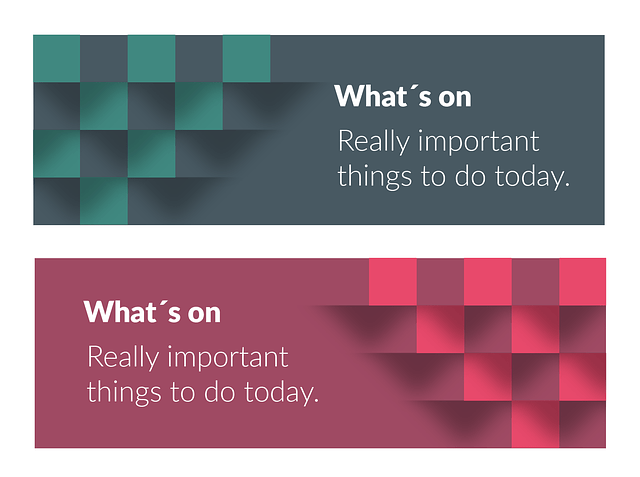
Web Advertisements are all over the internet, they come in the form of attractive looking banners. Sometimes they’re not so attractive, but a blinking button or a sale for 50% off catches your eye, and well… you’re hooked.

However, it’s not as easy as just slapping a random design on the website. When designing a Web Banner there are certain canvas sizes that should be used. These sizes allow websites to optimize banner placement, an awkward size would probably lose resolution when it gets resized for the web. 

Banner Sizing

Some common sizes are: 

  • 468 x 60   
  • 728 x 90
  • 336 x 280   
  • 300 x 250   
  • 250 x 250   

These sizes optimize space on the website. Which ultimately gives a cleaner and more organized look. Throwing too many ads into one website tends to look suspicious and contributes to a sensory overload. 

Image by ptra from Pixabay

Goals

Moving on from the technicalities of the subject, the ultimate goal of an advertisement on the web is to direct consumers toward that page. Hence why the attractiveness/use of active buttons, I spoke of earlier is so important.

The good thing about using banner ads, is the methods of payment that it creates. Money can be earned simply through the given amount of time a person has spent on the page, and combining that with the possibility that they purchase the product…It’s a win win

And even with our newfound ability to not let such ads bother us, a good design and interesting slogan go a long way. You would be surprised at how much the visual aspects of the banner matter. They matter not only for aesthetically pleasing purposes, but also to attractively compliment the product that is being sold. Using attractive but irrelevant pictures would only get the customer so far, and that is what we don’t want, for our customer to lose interest. 

And Finally, use devices to help keep track of the consumers responsiveness to the Advertisements. Doing this will provide a better understanding of what is working and what is not. And if activity on the banner starts to drop, then that is a signal that it is time to move on and revamp the old banner into an even better one. 

Wire-framing Processes and Styles

Wireframing is not as complicated as it sounds. For those who are still weary, allow me to explain. Wireframing is a process in which designers make an outline of their design and its functions. You can think of it as a designer’s blueprint. It allows them to get their idea down, so they can get the general idea of the final design. Today, we will be focusing on the processes of wireframing a Website/App.

There are 3 types of wireframing that we will discuss: 

  • Hand-drawn
  • Lo-Fi (low fidelity or greyboxing)
  • Hi-Fi ( high fidelity pictures and colors)
Photo by picjumbo.com on Pexels.com

Hand- Drawn

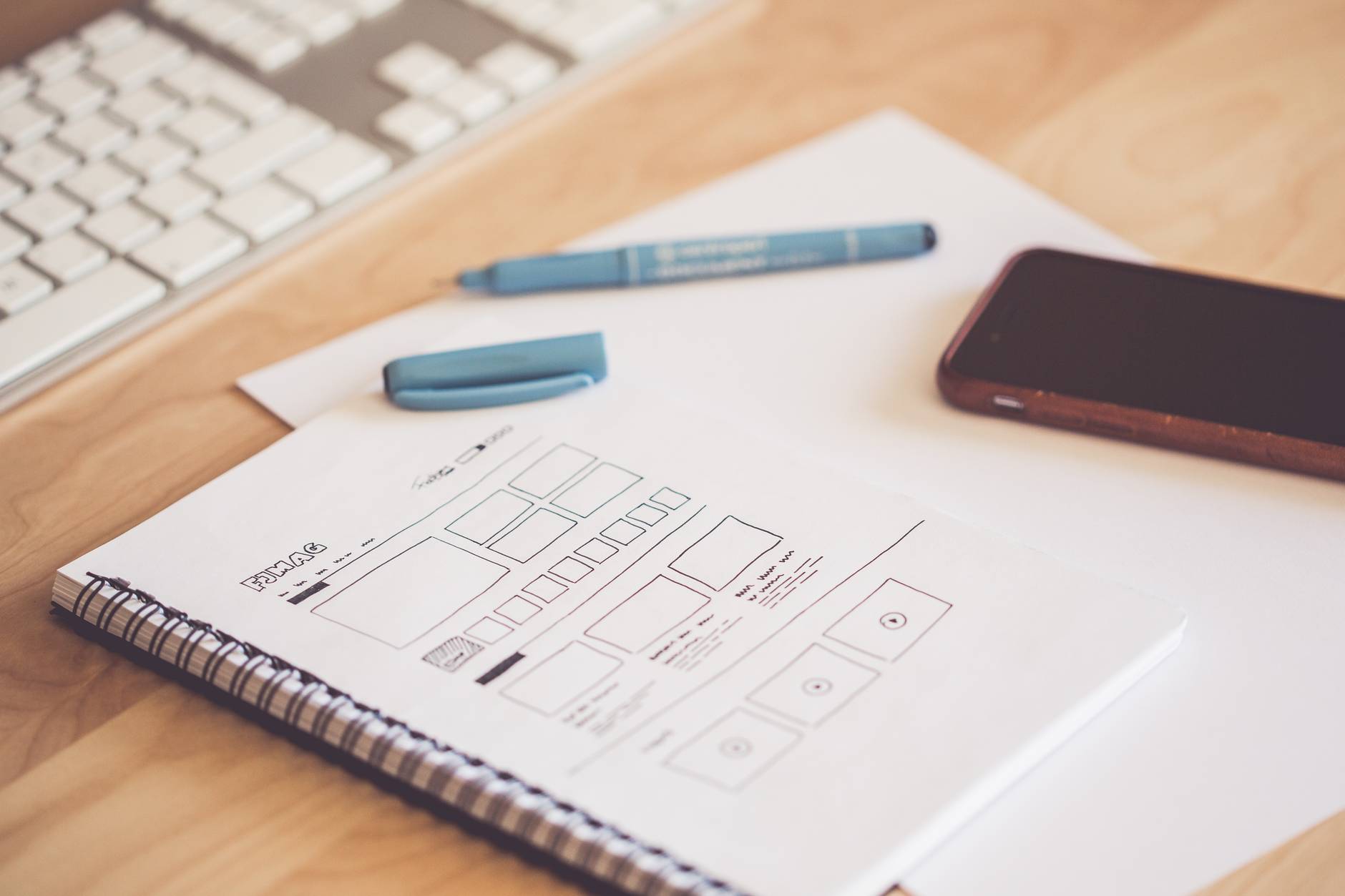
This is the easiest and sometimes the messiest way of getting your ideas in one place. Usually when someone has an idea they jot it down on a piece of paper right? Well it’s the same here, a rough sketch is made of all the ideas floating through a designers head. Which would later be translated into something of a much neater fashion.

Templates are a good way to go about doing this. Online there are many templates with a phone/computer outline. 

Lo-Fi

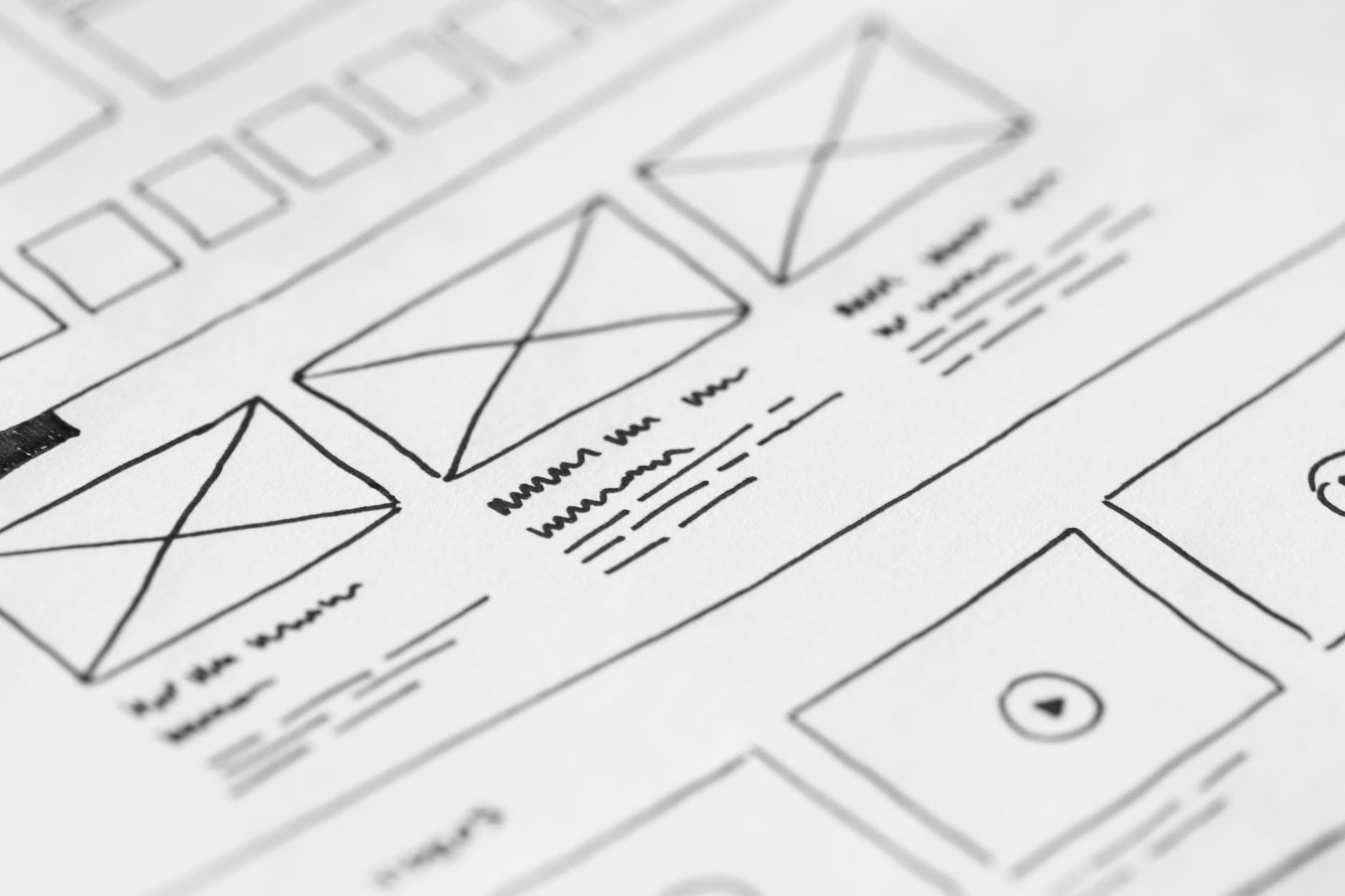
For the younger generations that may be reading this, we’re not talking about music. Lo-Fi in this case stands for Low Fidelity, and what that means is that your design will be pretty minimalistic. It focuses more on shapes than the overall information and photos.

In my experience if you are going to do Lo-Fi(greyboxing) then I would suggest Adobe Illustrator. It can make vector shapes within multiple artboards and then export them as together or separate. The quality of your work will be top notch and it would have only taken the shape tool and a few quality placements. Also vector formats are smaller in file size.

Photo by picjumbo.com on Pexels.com

Hi-Fi

Hi-Fi wireframes are completely designed. They have all the information/pictures/branding that will come out in the final cut.

This process takes longer than Lo-Fi, but depending on the client they might not understand that Lo-Fi wireframes are just a blueprint. Due to the difference in design from Lo-Fi to High-Fi, it’s recommended to use Photoshop. 

Those were just some examples of wireframing, the different types of wireframes and why we use them. But that doesn’t necessarily mean one should limit themselves to one process. Explore, combine styles and see which one works. 

Remember to have clarity, the clearer one is with their design the less work they need to do later.